Most pet cameras get mounted once, wherever the nearest outlet happened to be, then never touched again. A year later you have hundreds of clips showing the back of a food bowl and a strip of baseboard, and you still do not know whether your cat actually ate. Learning how to position a pet camera is not a mounting problem. It is a framing problem, and the whole job takes about fifteen minutes with a phone in one hand and a food bowl in the other.
I have set up feeder cameras in a house with three cats, a senior Labrador, and a rotating cast of fosters, plus a shelf of aquariums where the same framing rules applied to watching glass. The failure mode is identical every time: the unit goes where the cord reaches, and the cord never reaches the good spot. That is how you end up paying for motion alerts you cannot read.
So here is the order that works. Decide what you need to see, then pick the height that shows it, then check whether the radio reaches that spot, then commit. Do it in that order and even a beginner can work out how to place a pet camera without guessing twice.
Why you should trust me
I am the person friends call when the app says "meal dispensed" and the cat is still yelling, and I have re-aimed cameras in kitchens, laundry rooms, and one apartment hallway so narrow that the only free outlet sat behind a recycling bin. I keep a running list of angles that worked and angles that produced weeks of unusable footage, and I re-check every placement the same way: one live feeding, one recorded clip, one look at whether the bowl was readable in the frame.
I also will not sell you a camera as a fix for a feeding problem. If the portions are wrong, that is a portion accuracy issue with the dispenser, and no angle on earth will solve it.
How I picked and how I tested
The three units below are the feeder cameras I get asked about most for apartments, bedrooms, and kitchens where the pet eats in a corner. I judged them on the things that decide placement rather than the things that fill a spec sheet: where the lens sits relative to the bowl, whether the radio is 2.4 GHz or 5 GHz, how the food bin comes apart when you need to re-aim, and how quickly the app shows you the frame before you commit.
I did not score them on the box copy. The placement test is simple, and you can run it tonight: put a bowl down, set the unit where you think it should live, run one feeding, and watch the recording. If you cannot read the food level in the clip, the spot is wrong no matter what the resolution figure says. A 1080P camera aimed at the wrong wall loses to a lower-resolution camera aimed at the bowl, every single time.
Two specs decide whether a room works at all. Signal range tells you how far you can get from the router before the live view stutters, and camera resolution tells you how much detail survives once you crop in on a half-empty bowl. Everything else is packaging. If you are still choosing between dispensers rather than cameras, our guide to automatic feeders for cats that graze covers the feeding side of the decision.
What you need before you position a pet camera
A phone, a bowl, a piece of string if you do not own a tape measure, and one of the three units below. Do not buy a mount, a shelf, or a bracket until you have run one test feeding, because the test almost always moves the camera somewhere a mount will not fit.
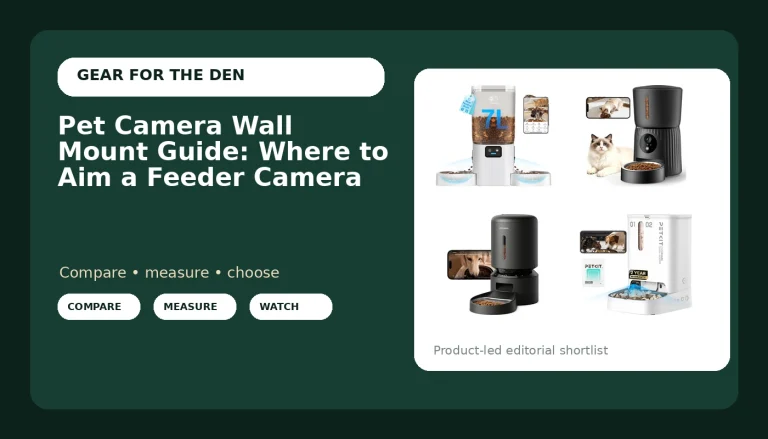
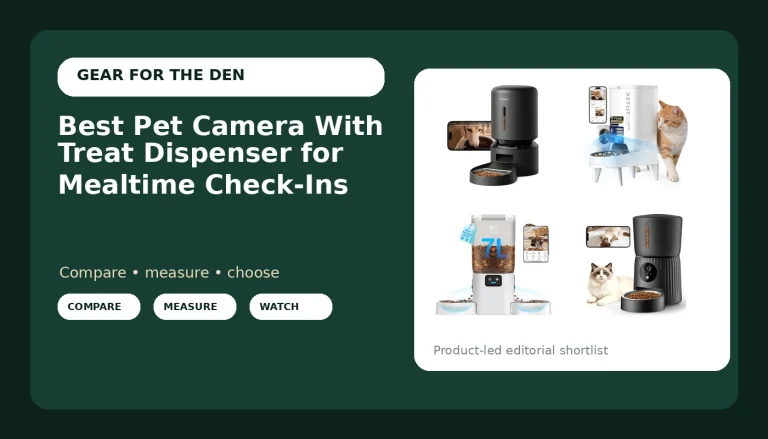
Our pick: PETKIT Automatic Cat Dog Feeder with Camera, AI-Powered Motion Capturing, 1080P HD Video with Night Vision, 2.4G WiFi Pet Feeder with 2-Way Audio, Dual Hopper Pet Food Dispenser with Desiccant
Our pick
PETKIT Automatic Cat Dog Feeder with Camera, AI-Powered Motion Capturing, 1080P HD Video with Night Vision, 2.4G WiFi Pet Feeder with 2-Way Audio, Dual Hopper Pet Food Dispenser with Desiccant
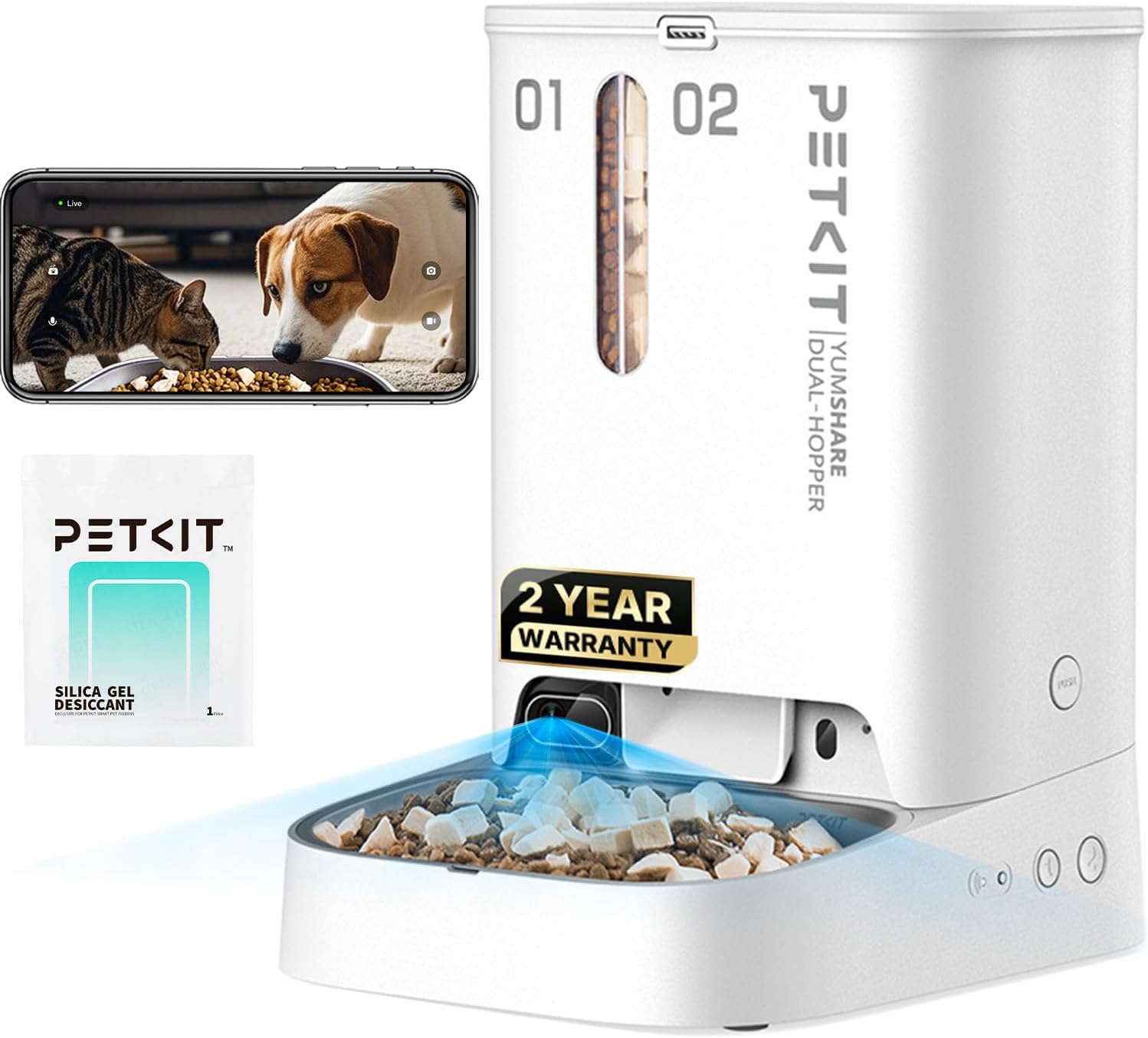
The dual hopper is the reason I would build a corner around this one. Two bins means two foods, and a camera over them means you can confirm which side actually dispensed and whether the cat ate from the intended one. The lens sits above the bowls, so the natural placement is a low table, a sturdy stool, or a floor-level shelf with the body tilted slightly down. Put it up on a counter at standing eye level and you will spend the next year watching the top of a cat's head.
The radio is 2.4 GHz, which is the band that survives a hallway and a plaster wall better than 5 GHz, so this is the unit that can live in the room next to the router instead of the room with the router. Two-way audio matters for placement more than people expect: do not park it beside a fridge compressor, a dishwasher, or a washing machine, because every clip will carry that hum and your voice will arrive underneath it. Motion capturing is the feature that confirms a good angle, since alerts should fire when the pet walks in, not every time a curtain moves.
Check current Amazon price on the listing, since that number moves.
Flaws but not dealbreakers: 2.4 GHz only means less headroom on a crowded city network, and the twin-hopper body is bulky, so it wants a surface with some depth. Anyone feeding two cats from separate bins will not care.
Runner-up: Frienhund 5G WiFi Automatic Cat Feeder with Two HD Camera: 7L Automatic Dog Feeder with Night Vision, Auto Cat Food Dispenser for Multiple Pet, Detachable for Easy Cleaning – 29 Cup
Runner-up
Frienhund 5G WiFi Automatic Cat Feeder with Two HD Camera: 7L Automatic Dog Feeder with Night Vision, Auto Cat Food Dispenser for Multiple Pet, Detachable for Easy Cleaning – 29 Cup
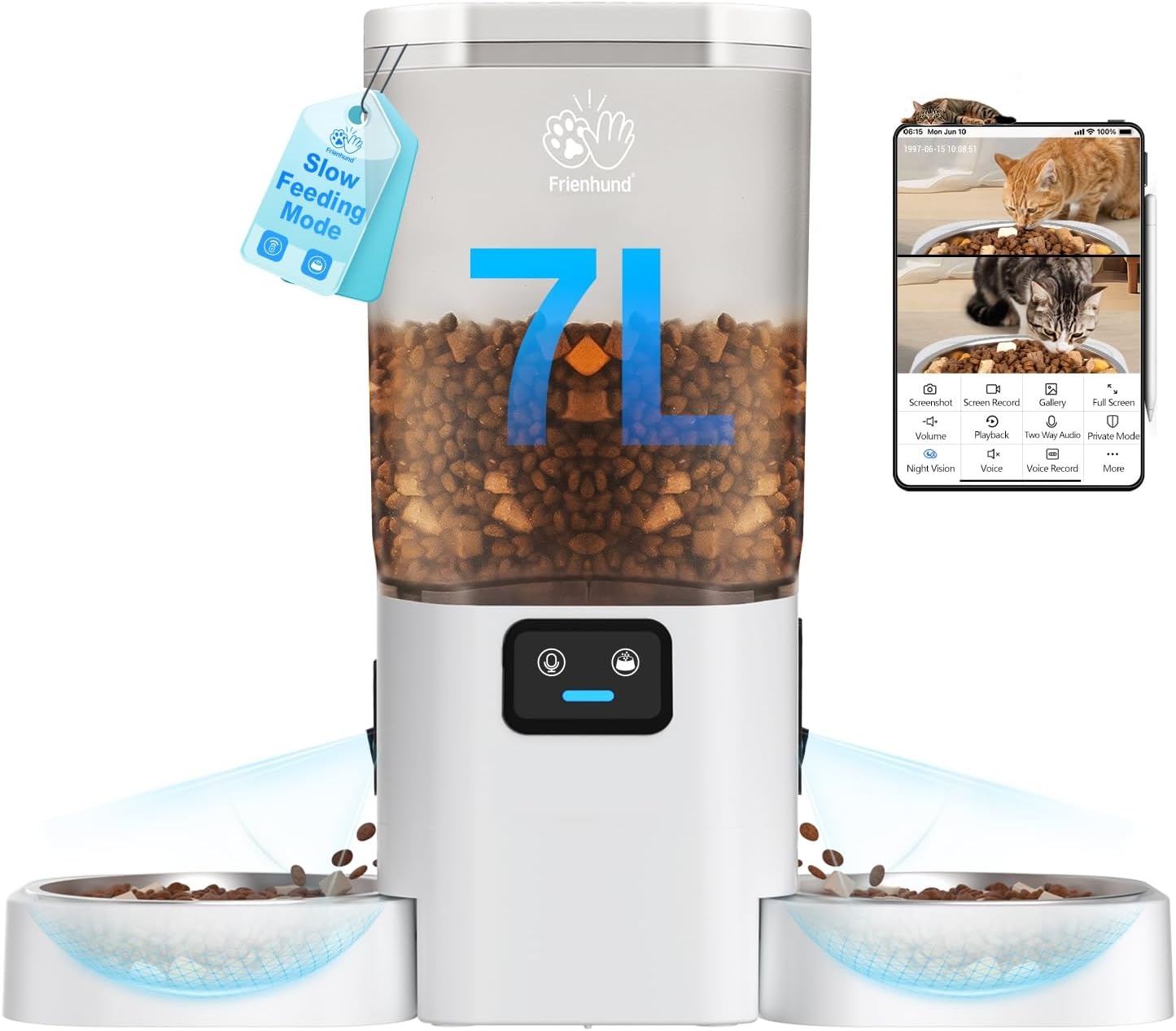
Two cameras change placement more than they change picture quality. You can aim one down at the bowl and leave the other at shoulder height to catch the approach, which is the combination that finally answers "who ate what" in a house with more than one pet. You see the cat walk in, not just the cat parked at the bowl.
The 7L bin holds 29 cups, so plan for a surface that can carry that much food and will not shift when a dog leans on it. The bin detaches for cleaning, and that turns out to be a placement feature: you can lift the food section out, nudge the head an inch, and set it back down, which is a much faster loop than unplugging and dragging the whole unit. The radio here is 5 GHz, so keep it on the same floor as the router and test the live view from the actual corner before you settle in. A 5 GHz signal does not fight through a thick wall the way 2.4 does, and a stuttering stream is a placement problem, not a camera problem.
Check current Amazon price before you commit to a run of cable.
Flaws but not dealbreakers: 5 GHz prefers a clear path, so a far corner of a big house may need a mesh node or a closer outlet. Solid for multi-pet homes that want two angles from one unit.
Budget pick: TYM Automatic Cat Feeder with Camera, 5G WiFi Food Dispenser for Small Pets
Budget pick
TYM Automatic Cat Feeder with Camera, 5G WiFi Food Dispenser for Small Pets
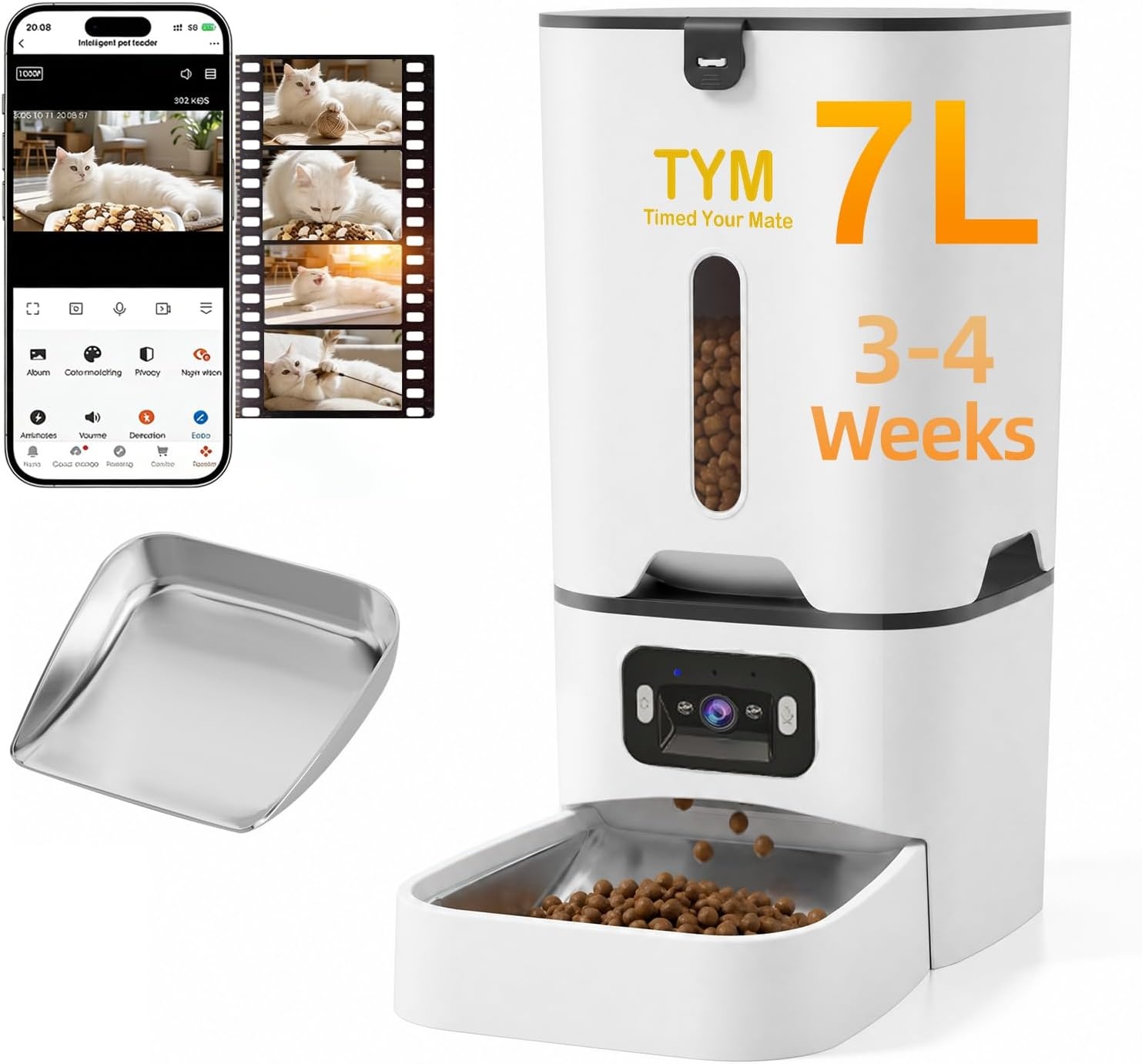
Small pets eat low, and this is the unit that fits that geometry without fuss. The compact body sits happily on a low shelf, a window ledge, or the edge of a counter, and because you are framing one small bowl you can work at a much tighter distance. A close angle at one or two feet beats a wide shot from across the room when your subject is a rabbit or a kitten.
It is a 5 GHz unit, so treat it the way you would treat the Frienhund: same floor as the router, live view tested from the exact spot before you commit. It is also the most affordable of the three, which makes it the sensible place to start if you are not sure a camera is worth the trouble at all.
Check current Amazon price on the listing.
Flaws but not dealbreakers: One camera and a 5 GHz radio, so a long house will punish the wrong corner. Anyone feeding a single small pet in one room will be fine.
The actual workflow to position a pet camera
This is the same eight-step pass I run in every room, and it takes one feeding cycle rather than an afternoon. If you have never had to place a pet camera before, read the steps in order, because each one assumes the one before it is settled.
Step one: Write down the question the frame has to answer. "Did the bowl get emptied" is a different camera position than "did the cat come into the room at all." One question, one frame. Two questions usually means two positions, so pick the more important one and stop.
Step two: Put the camera just above bowl height. The lens should sit a hand to a foot higher than the bowl and angled down maybe fifteen degrees. This is the part that answers how to place a pet camera better than any app diagram, because the bowl sets the height, not the wall. Up on a counter at human eye level you lose the bowl to the lower edge of the frame.
Step three: Close the distance until the bowl fills the lower third. Two to four feet is the usual sweet spot for a single bowl. If you can see both a bowl and the whole doorway, you are too far away, and no amount of camera resolution will rescue a wide shot when you try to read a food level.
Step four: Check the signal range from the spot, not from the couch. Stand where the camera goes, open the live view, and watch it for a full minute while someone turns on the microwave and walks through the room. A stream that freezes at mealtime will freeze exactly when you need it. If it stutters, move the unit one room closer to the router before you do anything else.
Step five: Kill the infrared glare. Night vision bounces off glass, windows, aquariums, and shiny steel bowls, which turns a night clip into a bright smear with a cat somewhere behind it. Move the bowl off a mirrored mat, tilt the lens a few degrees away from the glass, and record one dark-room clip before you trust the angle.
Step six: Route power and plan the power backup. These are corded units, so battery life is not part of the decision, but an outage is. If you want coverage through a storm, put the cord on a small UPS or a power bank that can pass through, and never run the cable where a chewer can reach it. This is also the moment to think about water resistance in a practical way: no feeder camera belongs beside a sloshing water bowl or on a surface where a splash reaches the vents.
Step seven: Pair the app and check the recorded clip, not the live view. Do the app pairing at the final spot, run one feeding, and then open the saved clip the way you would open it at work tomorrow. This is also when you check whether your cloud clips sit behind a subscription, because a camera whose best clips are paywalled is a placement decision you may want to revisit before the return window closes.
Step eight: Lock the angle and stop fiddling. Mark the feet with painter's tape, tighten whatever it sits on, and confirm portion accuracy once more against the bowl after the first day. Then leave it alone. A camera that moves every week produces a folder of unreadable footage and a very bad habit.
The competition and why it lost
I looked at the obvious alternatives, and they lose for one reason: none of them are aimed at the bowl by design.
A standalone indoor camera is a fine security tool, but it sits on a shelf at whatever height a shelf happens to be, and you still have to solve food on a separate device. A baby monitor does a similar job with fewer app features and no dispenser attached. A trail camera is built for weather and motion outdoors, not for a kitchen counter. Smart plugs and timers can run a feeder, but they cannot show you whether the food landed in the bowl.
Pet gates, crates, and water fountains all live in the same room, and none of them answer the question this article is about. They belong in other guides, and they get them. Today is about the angle.
What this all costs
The placement itself is free. You already own the phone and the bowl, and the only tools that matter are a live view and one recorded clip. The hardware is the only real spend, and the three units here sit in a broad but reasonable band for pet tech. Check current Amazon price on each listing before you decide, because that number moves more than the hardware does.
The running cost is the part people forget. Cloud clips often sit behind a monthly subscription, so read the app's storage options before you fall in love with a camera, and check whether local storage is available for your model. A unit that records to a card can cost nothing after the purchase, and a unit that does not will bill you for as long as you keep it.
Then there is the cost of getting it wrong, which is not measured in dollars at all. A camera aimed at the wrong wall gives you a year of notifications you cannot read, plus a subscription you keep paying for clips of an empty floor. Move the unit once, run one feeding, and check the clip. Fifteen minutes on the front end buys you a year of actually knowing whether your pet ate.
That is the job. The bowl is the story. Point at it.