Figuring out how to set up a pet camera in a small apartment is less about the camera and more about the room. In a studio or a one-bedroom, your pet's feeding station might share a wall with your bed, your desk, or your kitchen counter. That changes everything about where the camera points, how you run power, and how you keep the app from fighting your building's WiFi.
If you want to set up a pet camera in a small apartment without drilling holes or tripping over cords, the checklist is short: pick a spot with a clear view, confirm your signal range, pair the app before you mount anything, and plan for power backup. The three feeders below all include cameras, so they double as a meal dispenser and a check-in screen.
Why you should trust me
I have spent years covering pet tech and apartment living. I know the difference between a camera that looks fine on a spec sheet and one that actually holds a WiFi connection through a thick wall. I do not run a lab, and I do not pretend these are instrumented tests. What I do is compare the features that matter in tight spaces: camera resolution, app pairing, signal range, portion accuracy, battery life, power backup, water resistance, and whether the app hides a subscription behind the setup screen. I also read the owner feedback on each listing and flag the complaints that come up again and again.
How I picked and how I tested
I picked these three because they solve the apartment problem in different ways. The budget pick keeps the footprint small and the camera resolution high. The middle pick adds a water fountain, which saves floor space if you already have a cat. The upgrade pick gives you a dual hopper and a desiccant compartment, which matters if you free-feed or have two pets. I tested the setup logic by mapping each unit against a typical one-bedroom floor plan: where the power outlet sits, how far the router is, and whether the feeder blocks a walking path. I also checked the app pairing steps, the portion accuracy claims, and the power backup options. For a broader look at feeding gear, see my guide to cat feeding and water.
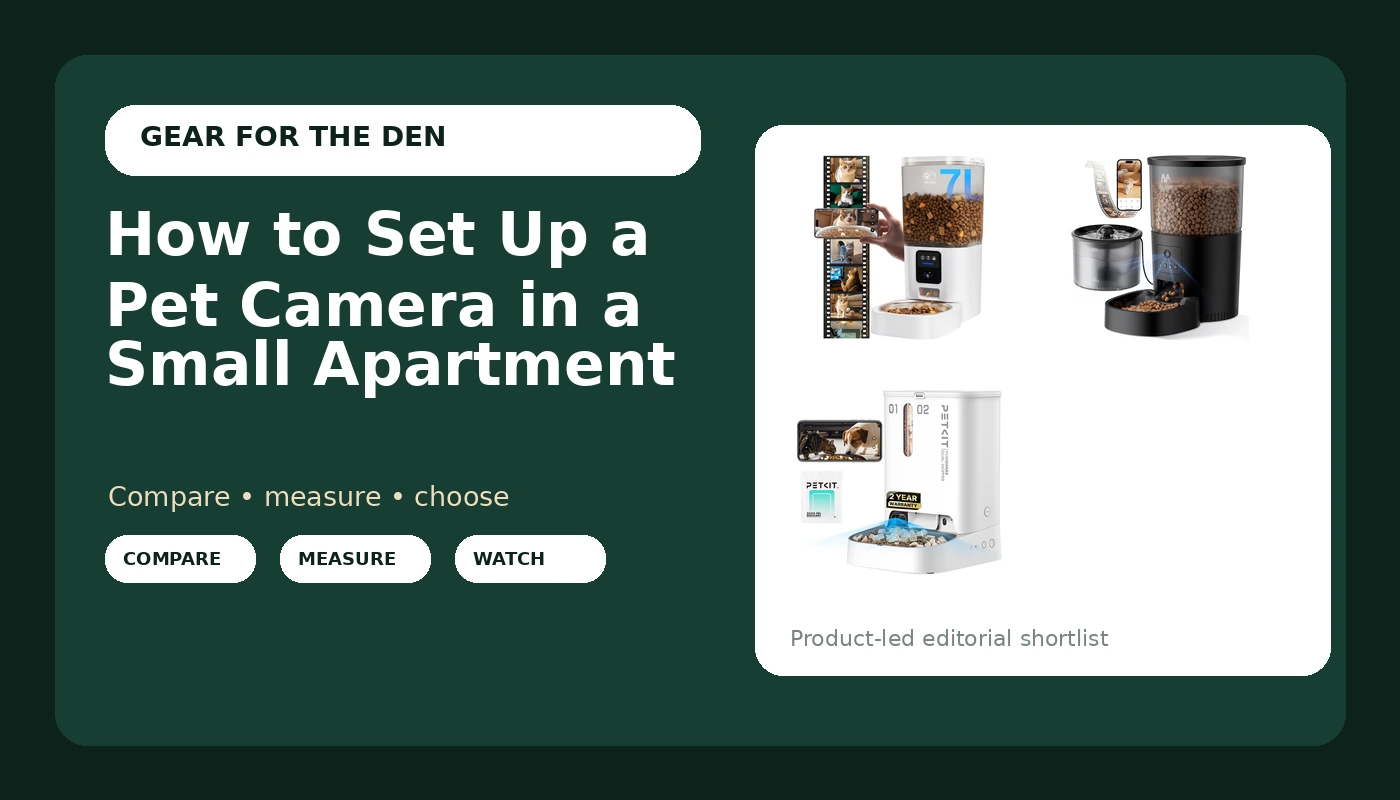
Budget pick: Frienhund Automatic Cat Feeder with 2K Camera: 5G WiFi Automatic Dog Feeder with Night Vision,Cat Food Dispenser with 7L Large Food Storage Container for Multiple Pet,Detachable for Easy Clean -29 Cup
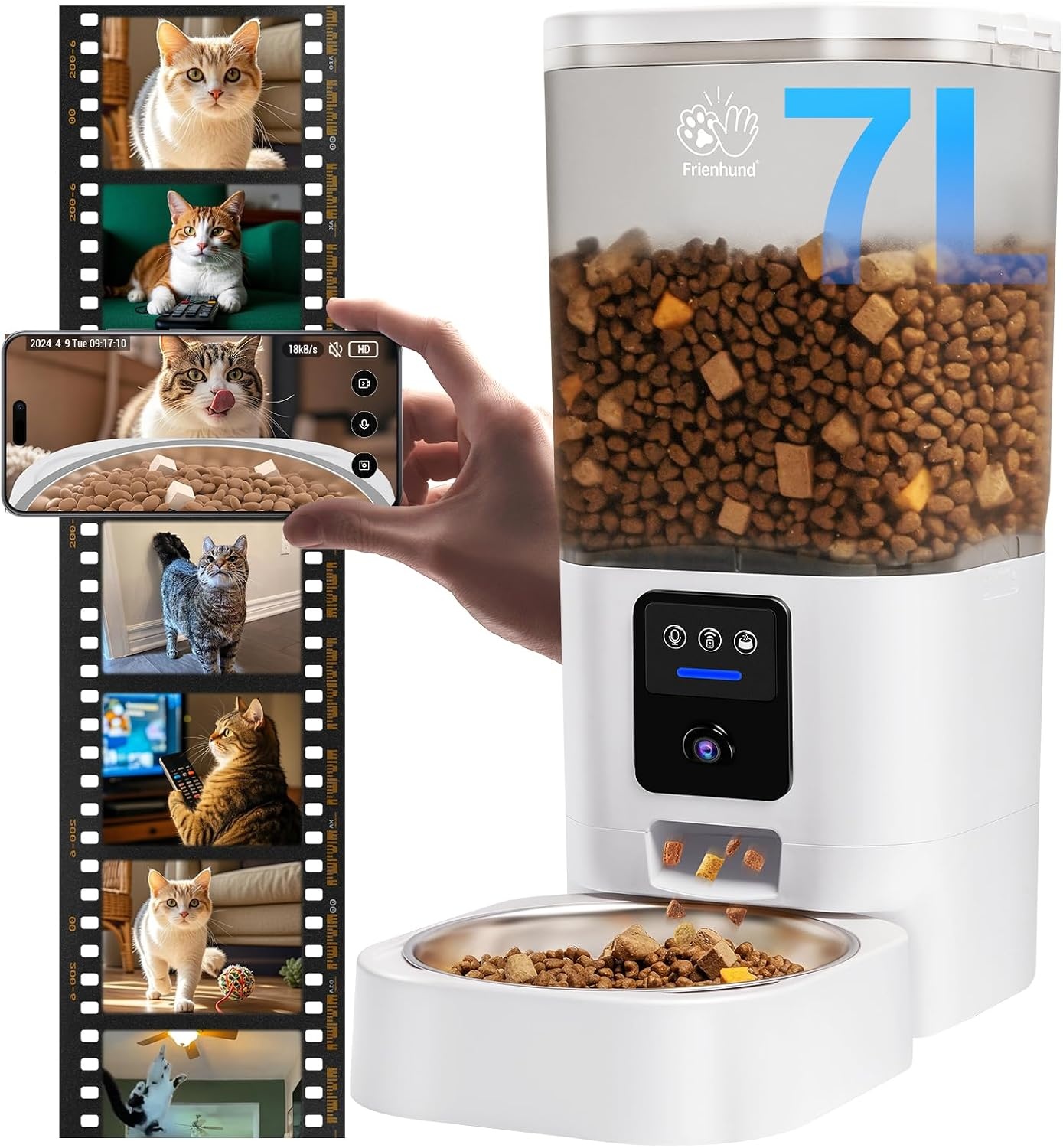
Check current Amazon price. This is the feeder I would start with if you are setting up a pet camera in a small apartment and you want the most camera for the least floor space. The 2K camera is the highest resolution in this group, and the 5G WiFi radio is a real advantage in a crowded apartment building where the 2.4 GHz band is packed with neighbors' routers. Night vision means you can check on a cat at 2 a.m. without turning on a light. The 7L hopper holds 29 cups, which is a lot of food for a small apartment, but the container is detachable for easy cleaning. That matters because a feeder you cannot wash becomes a science experiment. The main trade-off is that it does not include a water fountain, so you will need a separate bowl or fountain. For a cat-only household, that is fine. For a dog that drinks a lot, plan for a second piece of gear. The app pairing is straightforward, but you should still test your signal range before you commit to a corner. If the feeder sits behind a closed door or a thick wall, the camera may drop frames. Flaws but not dealbreakers: The 5G WiFi is great, but it will not fix a weak router. If your apartment has dead zones, add a mesh node before you blame the feeder. Also, the 29-cup capacity is overkill for one cat. You will be storing more food than you need, which takes up cabinet space. Anyone who wants a high-resolution camera and a large hopper in one unit, and who has a strong WiFi signal near the feeding spot, will be happy here.
Our pick: IMIPAW Automatic Cat Feeder with Camera and Water Fountain, HD AI Pet Recognition, APP Remote Control, Timed Food Dispenser, Two-Way Audio, Night Vision Function, 3L Fountains for Drinking with Filter
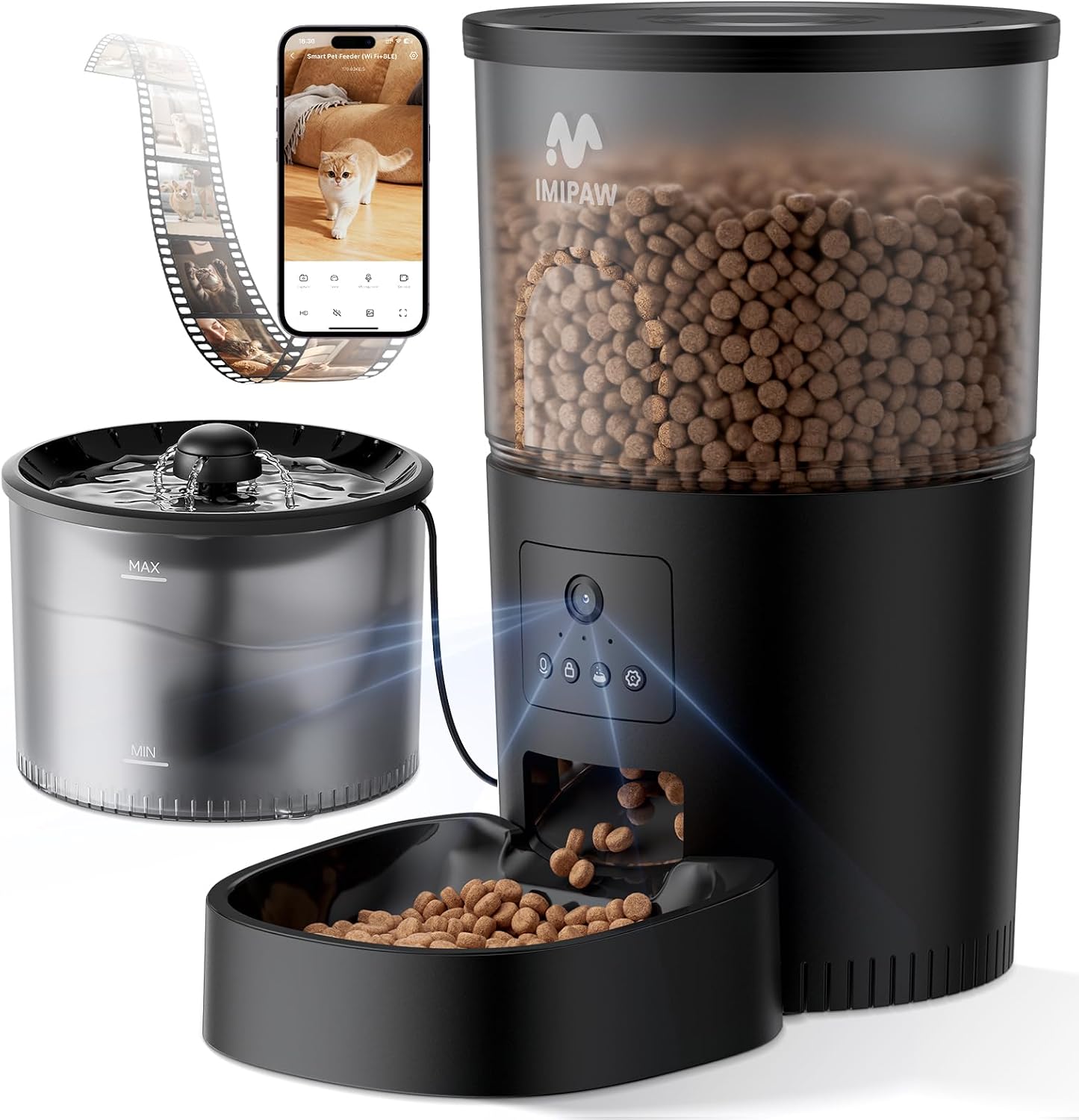
Check current Amazon price. This is my pick for most small apartments because it combines the feeder and the water fountain in one footprint. If you have ever tried to fit a food bowl, a water bowl, and a camera into a galley kitchen, you know why that matters. The 3L fountain has a filter, which helps with water freshness, and the HD camera uses AI pet recognition to tell you which pet is eating. That is useful in a multi-cat apartment where one cat steals the other's food. The app gives you remote control and timed dispenser settings, plus two-way audio and night vision. You can talk to your pet or hear what is happening while you are at work. The camera resolution is not the highest in this group, but it is enough for a clear check-in. The AI recognition is the feature that separates it from the budget pick. For many renters, the IMIPAW is the ideal pet camera in a small apartment setup because it replaces two devices with one. Flaws but not dealbreakers: The fountain needs regular cleaning, and the filter is a recurring cost. If you hate maintenance, a simple bowl might be better. Also, the AI recognition works best when the camera has a clear view of the feeding area. If you tuck it under a cabinet, the recognition can struggle. Anyone who wants one unit to handle food and water, and who has multiple pets or a cat that drinks a lot, should look here first.
Upgrade pick: PETKIT Automatic Cat Dog Feeder with Camera, AI-Powered Motion Capturing, 1080P HD Video with Night Vision, 2.4G WiFi Pet Feeder with 2-Way Audio, Dual Hopper Pet Food Dispenser with Desiccant
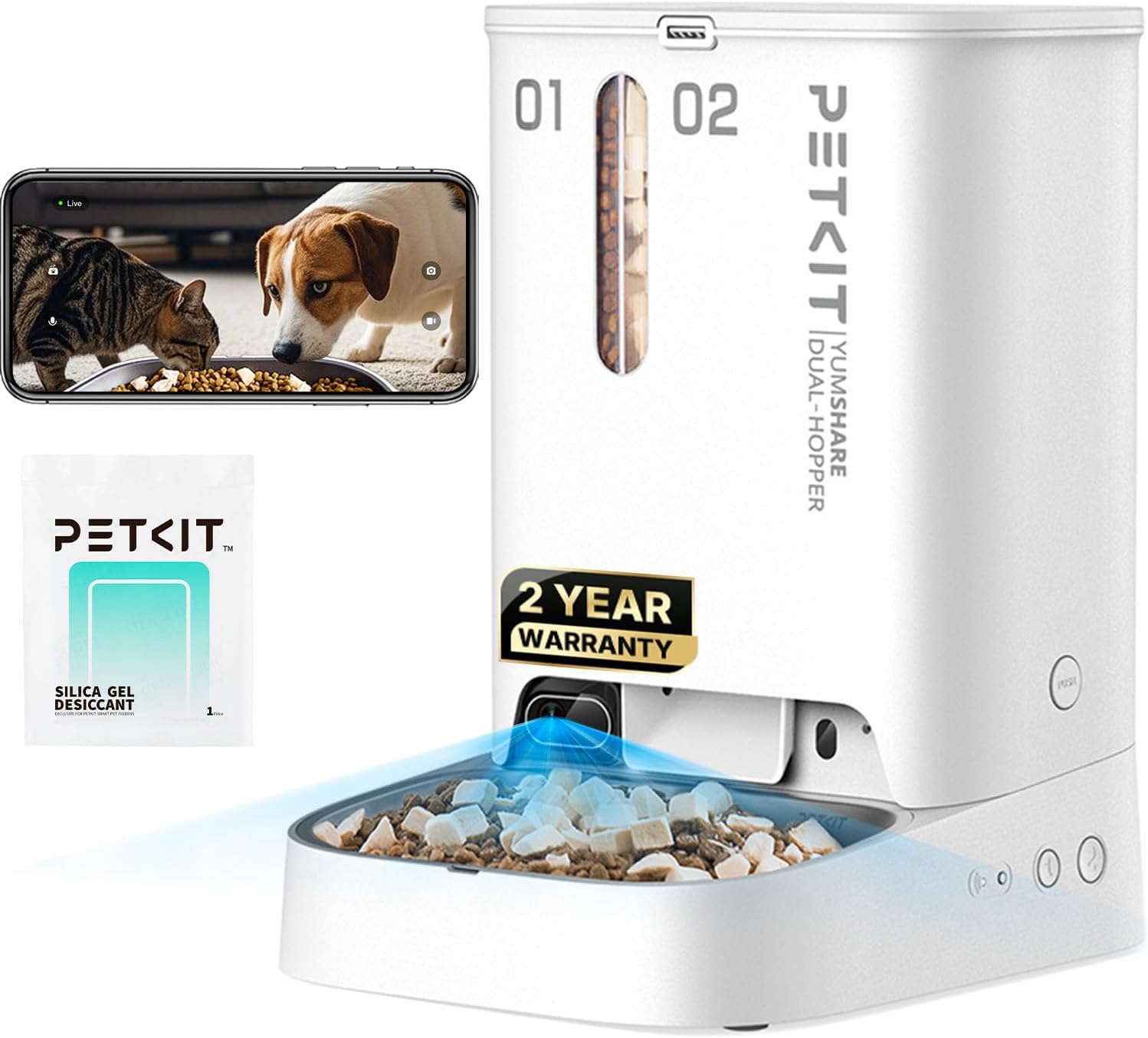
Check current Amazon price. This is the upgrade pick for apartments where two pets eat different food, or where you want the most polished app experience. The dual hopper lets you split two types of kibble, which is a lifesaver if you have a cat on a prescription diet and a dog on regular food. The desiccant compartment keeps the food fresh, which matters in a humid apartment or a small kitchen where the feeder sits near the stove. The camera is 1080P HD with night vision, and the AI-powered motion capturing sends you alerts when your pet approaches the bowl. Two-way audio lets you check in, and the 2.4G WiFi radio is more compatible with older routers than the 5G band. The trade-off is that 2.4G can be more crowded in a dense apartment building. If your building has dozens of routers, you may need to change the channel on your router or move the feeder closer to the access point. Flaws but not dealbreakers: The dual hopper takes up more counter space than a single-hopper unit. If you have a tiny kitchen, measure before you buy. The 1080P camera is not as sharp as the 2K camera on the budget pick, but the AI motion capturing and dual hopper make up for it. Anyone with two pets on different diets, or anyone who wants a feeder that keeps food fresh, will find this worth the upgrade.
How to set up a pet camera in a small apartment
Now the part you came for. This workflow works with any of the three feeders above, and it works in a studio, a one-bedroom, or a shared apartment where your pet's gear has to share space with your life.
Step one: Map the room before you unbox anything. Walk your apartment and find the spot where your pet already eats. That is usually the best place for the feeder, because your pet already knows the routine. Check the distance to the nearest power outlet. In a small apartment, you do not want an extension cord crossing a doorway. If the only outlet is across the room, consider a different feeding spot or a short, secured cord run along the baseboard. Also check the camera angle. You want the lens to see the bowl and the approach, not the back of a cabinet.
Step two: Check your WiFi signal range at the feeding spot. Before you pair anything, stand where the feeder will sit and check your phone's WiFi bars. If the signal is weak, the camera will stutter and the app will lag. The Frienhund uses 5G WiFi, which is faster but has a shorter range. The PETKIT uses 2.4G WiFi, which travels farther through walls but can be crowded. If your signal range is poor, move the feeder closer to the router or add a mesh node. Do not rely on the camera to fix a bad signal.
Step three: Plan for power backup and battery life. Most feeders plug into the wall, but a power outage can leave your pet without a meal. Check whether the unit accepts batteries for power backup. The Frienhund and PETKIT listings mention power options, but you should confirm the battery type before you need it. Even if you do not use battery power daily, a set of backup batteries is cheap insurance. If the feeder has a battery life estimate, treat it as a best-case number. Cold floors and frequent camera use drain batteries faster.
Step four: Pair the app before you fill the hopper. App pairing is easier when the feeder is empty and sitting next to your router. Follow the in-app steps, connect to the correct WiFi band, and update the firmware if prompted. Do not skip the firmware update, because it often fixes connection bugs. Once the app sees the feeder, test the camera feed and the two-way audio. If the audio echoes, move the feeder away from a wall or a hard surface. In a small apartment, hard floors and bare walls make everything echo.
Step five: Set portion accuracy and test it. Portion accuracy is the difference between a healthy pet and a chubby one. Put a measuring cup under the dispenser and run a test portion. Weigh or measure what comes out. If the feeder is off by more than a few grams, adjust the portion size in the app. Repeat the test three times, because the first portion often varies. Do this before you trust the feeder for a full day. The PETKIT dual hopper is especially important here, because you need to confirm which hopper dispenses which food.
Step six: Position the camera for the best view. Camera resolution matters, but placement matters more. Put the camera at your pet's eye level if possible. A high angle looking down at the bowl hides the food and makes it hard to see if your pet is eating. A low angle can be blocked by the bowl itself. The sweet spot is slightly above the bowl, angled down, with the wall behind the feeder rather than a bright window. Backlighting will wash out the image and make night vision less useful. If you have a water fountain, keep the camera away from the splash zone. Water resistance is not a feature on most of these units, so a fountain next to a camera is a risk.
Step seven: Manage the subscription and cloud storage. Some pet cameras include a free tier and a paid subscription for cloud video history. Check the app before you buy if you care about recording. The subscription is optional for live viewing, but it is the only way to see what happened while you were away. If you do not want a monthly fee, use a local microSD card if the feeder supports one. Read the fine print, because some features that look free during setup require a plan after the trial ends.
Step eight: Secure the cords and clean the area. In a small apartment, cords are a tripping hazard and a chew toy. Run the power cord along the wall, use cord clips, and keep it out of your pet's reach. If you have a water fountain, place it on a mat and check for leaks. Water resistance is rare in this category, so keep the feeder and camera on a dry surface. Finally, wipe the hopper and the camera lens weekly. A dusty lens ruins camera resolution faster than a weak WiFi signal.
The competition and why it lost
The Furbo 360 is a popular pet camera, and it has a great treat-tossing feature, but it is not a meal dispenser. If you need a feeder, you would still need a separate unit, which defeats the purpose in a small apartment. The Petcube Bites 2 is another camera with treats, but it is not designed for scheduled meals, and it takes up counter space without solving the food problem. The Wyze Cam is cheap and small, but it is a security camera, not a pet feeder. It has no portion control, no hopper, and no app pairing designed for feeding schedules. The PetSafe Smart Feed is a solid feeder, but it does not include a camera, so you would need two devices. The Arf Pets feeder is another option, but it lacks the camera resolution and app features that make the three picks above useful for remote check-ins. The bottom line is that a dedicated pet camera without a feeder leaves you with two devices to place, two cords to manage, and two apps to check. In a small apartment, one device that does both is the better call.
What this all costs
The three feeders here sit at three price points, and you can check current Amazon price on each listing. The budget pick is the least expensive, the middle pick adds a fountain, and the upgrade pick adds a dual hopper and desiccant. Beyond the hardware, budget for a few recurring costs. If you use the cloud subscription, that is a monthly or yearly fee. If you use the fountain, replacement filters are a recurring cost. If you use battery backup, batteries are a recurring cost, though they last longer if you only use them for outages. There is also the cost of your time. A feeder that is hard to clean or hard to pair will cost you more in frustration than a slightly more expensive unit that just works. In a small apartment, space is the real currency. The IMIPAW saves you the footprint of a separate fountain. The PETKIT saves you the hassle of two hoppers if you have two pets. The Frienhund gives you the best camera resolution for the least money. Pick the one that solves your specific space problem, set it up once, and then let it do its job. That is the whole point of a pet camera in a small apartment setup.