The first time you set up an automatic pet feeder, the manual makes it look like a five-minute job. Fill the hopper, punch in a time, walk away. Then your cat works out how to hook a paw into the chute, your dog eats the cat's portion, and the whole thing becomes a negotiation you have every single morning.
If you landed here after typing something like "set up an autodesk matic pet feeder" or "set up an autofloor matic pet feeder" into a search bar, ignore the scrambled spelling. The job is the same one, and the order of operations matters far more than the brand on the box.
I have run timed feeders, microchip bowls, and a gravity dispenser in a house with two cats on different diets and a dog who considers every bowl his own. The sequence below is the one that holds up after the novelty wears off.
Why you should trust me
I have been feeding cats and dogs on timers since before feeders had apps, and I have cleaned enough jammed augers to know which designs survive a humid summer and which ones turn kibble into a brick. My own kitchen runs two cats on separate diets and a dog who would happily eat all three meals if I let him, so every unit that comes through the house gets judged on one question: can it keep the wrong animal out of the bowl?
I am not a veterinarian and I do not play one here. What I can tell you is the setup order that keeps a schedule honest, the failure points that show up in the first week, and which features are worth paying for when you already own a bowl, a scoop, and a stubborn animal.
How I picked and how I tested
Rather than rank every feeder on the market, I picked the three items that solve the three problems an automatic feeder creates: getting food out on schedule, keeping one pet out of another pet's portion, and giving a dog a way to ask for a walk that is not barking at 5 a.m.
Every feeder I have lived with got the same routine. I filled the hopper, ran it for a day to watch the drop, and looked at how kibble moved through the chute instead of piling up in a corner of the bowl. I checked whether the bowl and the hopper come apart for washing without tools. On app models I went through app pairing, checked signal range from the far side of the house, and noted whether anything genuinely useful sat behind a subscription. On battery models I tracked battery life against the claim on the box and tested power backup by pulling the plug mid-cycle.
The criteria, in order: portion accuracy, because a feeder that over-drops turns a diet into a weight problem; battery life and power backup, because a feeder that dies at 6 a.m. is worse than no feeder at all; and how hard the thing is to clean, because kibble dust and oil build up in every chute. If you are feeding more than one cat, read my multi-cat feeding setup notes before you buy two of anything.
The gear that helps you set up an automatic pet feeder
Three items cover the whole job, and you probably do not need all three. Which ones you need depends on how many pets share the kitchen and whether your dog has learned to open a hopper. Check current Amazon price on each before you commit, because these listings move.
Budget pick: ANDOLL HOME Automatic Cat Feeder, Timed Cat&Dog Dry Food Dispenser
Budget pick
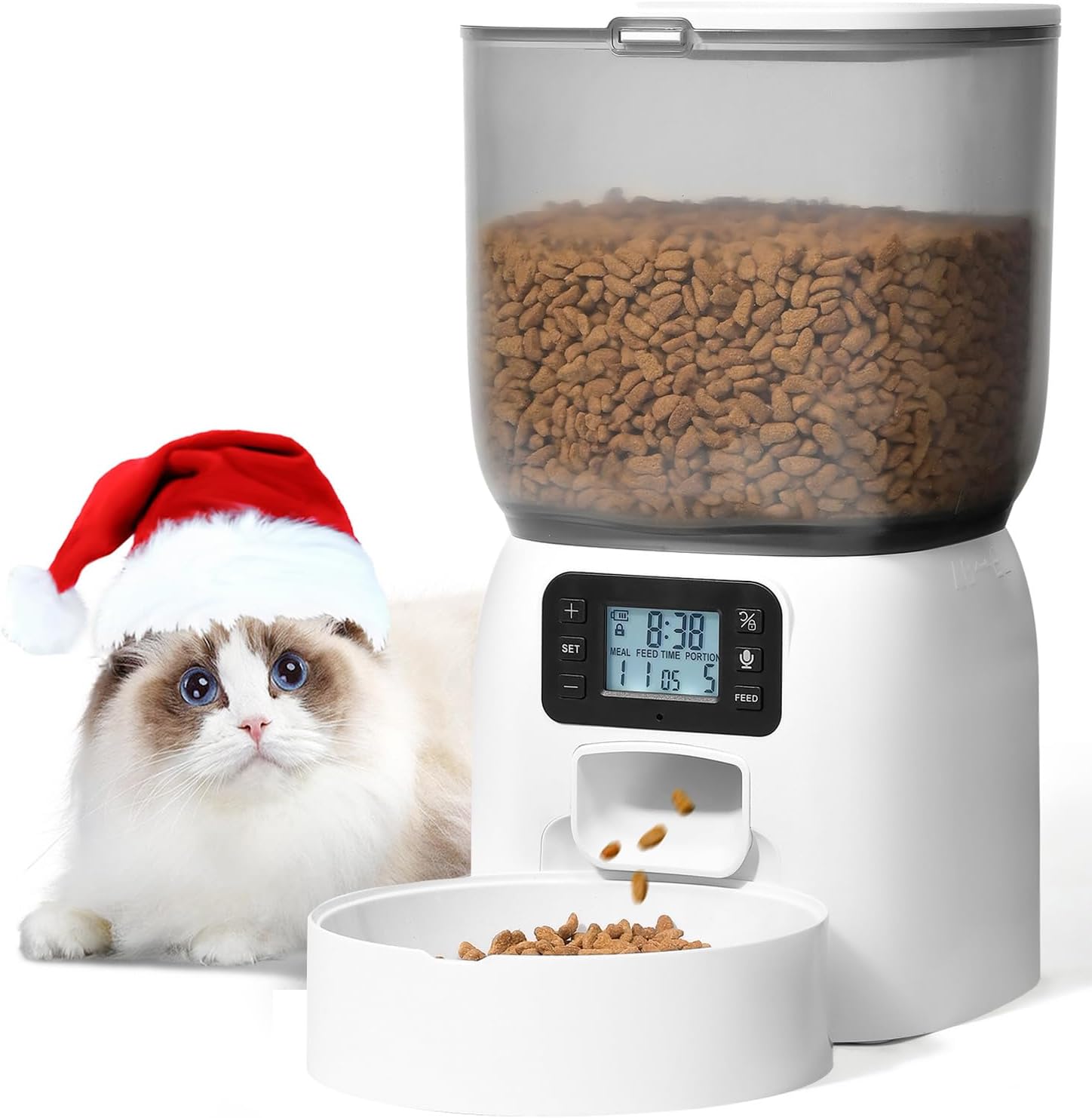
ANDOLL HOME Automatic Cat Feeder, Timed Cat&Dog Dry Food Dispenser
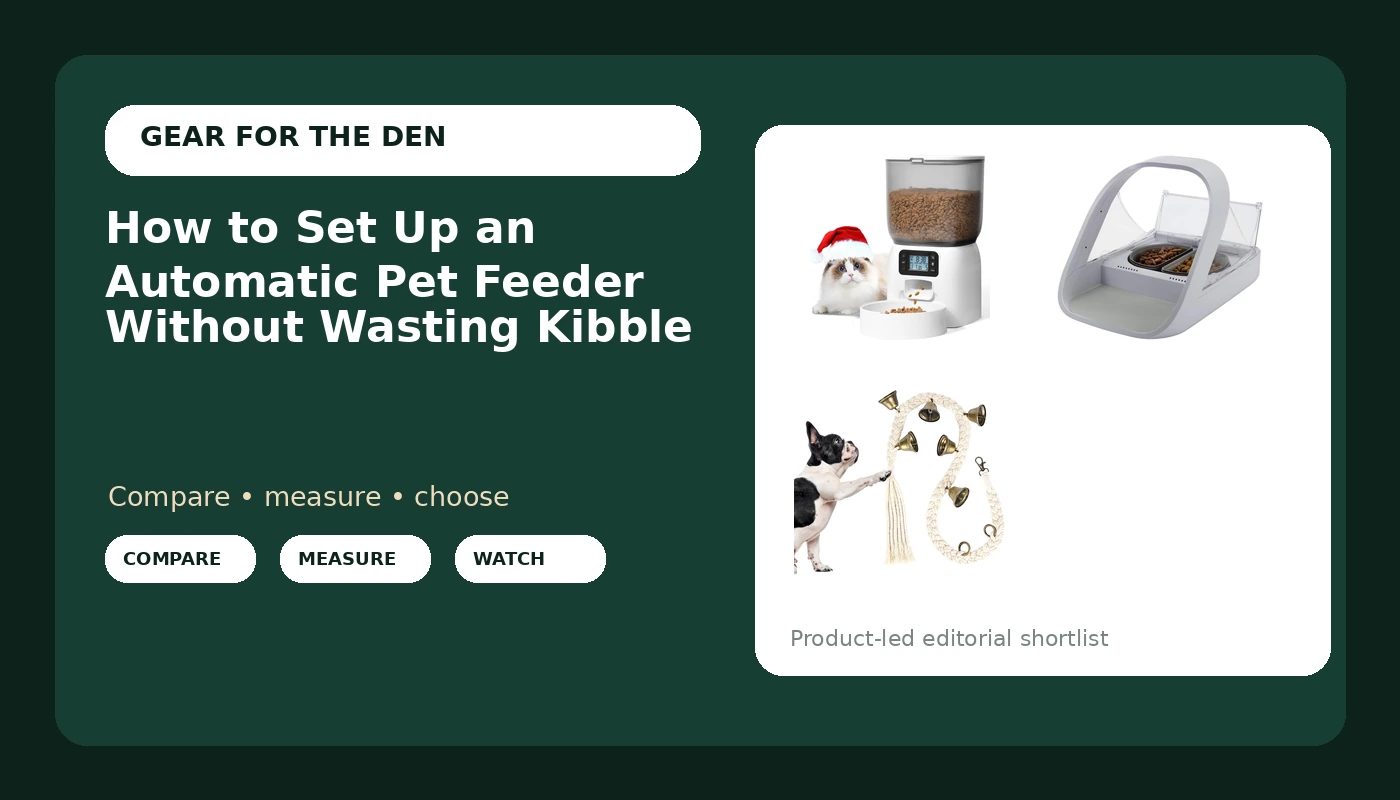
This is the plain version of the job: a hopper, a timer, and a bowl. You program the meals, choose a portion size, and it drops dry food on schedule with no phone and no hub involved. For one cat who eats alone in a quiet room, that is all the technology the job needs, and it is the model I would hand to someone who wants a feeder rather than a project. Check current Amazon price.
The two things to check on any feeder in this class are portion accuracy and cleaning. Portion accuracy depends on kibble: a food with small irregular pieces drops differently than a uniform nugget, so weigh the first few meals on a kitchen scale until you trust the setting. Battery life is the other number worth learning, and running the unit on batteries for the first month tells you how long a set really lasts before you lean on it. Power backup is the feature people ignore until a storm, and a feeder that holds its schedule through a short outage is worth more than one with a bigger hopper.
Flaws but not dealbreakers: The hopper lid will not stop a determined cat, and the chute needs a wipe every couple of weeks. For a single-pet kitchen, that is a fair trade.
Anyone feeding one cat or a small dog on a fixed schedule should start here.
Our pick: SureFeed Microchip Pet Feeder Connect – Requires Hub (Sold Separately)
Our pick
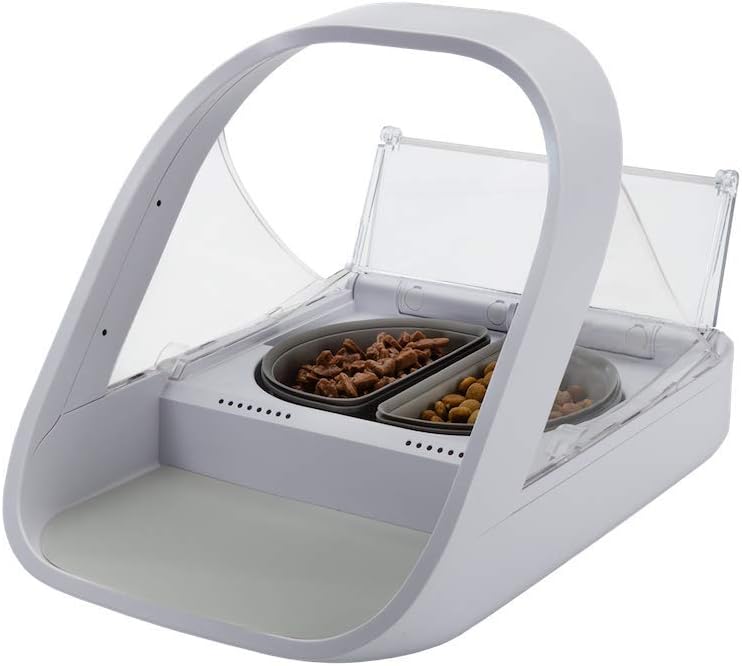
SureFeed Microchip Pet Feeder Connect – Requires Hub (Sold Separately)
This is the answer for a house where one animal eats faster than the other. The lid reads the pet's microchip, opens for that pet only, and closes when they walk away, which means the cat on the prescription food actually gets the prescription food. Nothing else in this price band solves that problem as cleanly. Check current Amazon price.
Read the name carefully: the Connect features need the hub, and the hub is sold separately. Budget for both, and decide before you order whether you want app pairing and feeding history or just the lid. If you only need the lid to work, the feeder runs as a standalone unit, and the hub is what puts the schedule and the portions on your phone.
Setup is the part people rush. Register the pet, then watch two or three full meals before you trust it. Confirm the lid closes behind the pet rather than hovering over the bowl, and confirm the bowl lifts out for a rinse, because wet food residue is the fastest way to make any feeder smell like a bad decision. The bowl is the one part that sees real water every day, so treat how it handles a sink as a daily-use question, not a detail.
Flaws but not dealbreakers: The lid mechanism is not something you want to teach a kitten to headbutt, and the hub requirement makes the total cost higher than the sticker on the bowl suggests.
Anyone with a multi-cat household, a grazer, or a pet on a medicated diet should look here first.
Also worth having: KLOGTSIND Dog Bells to Go Outside, Cotton Handwoven Potty Training Bell
Also worth having
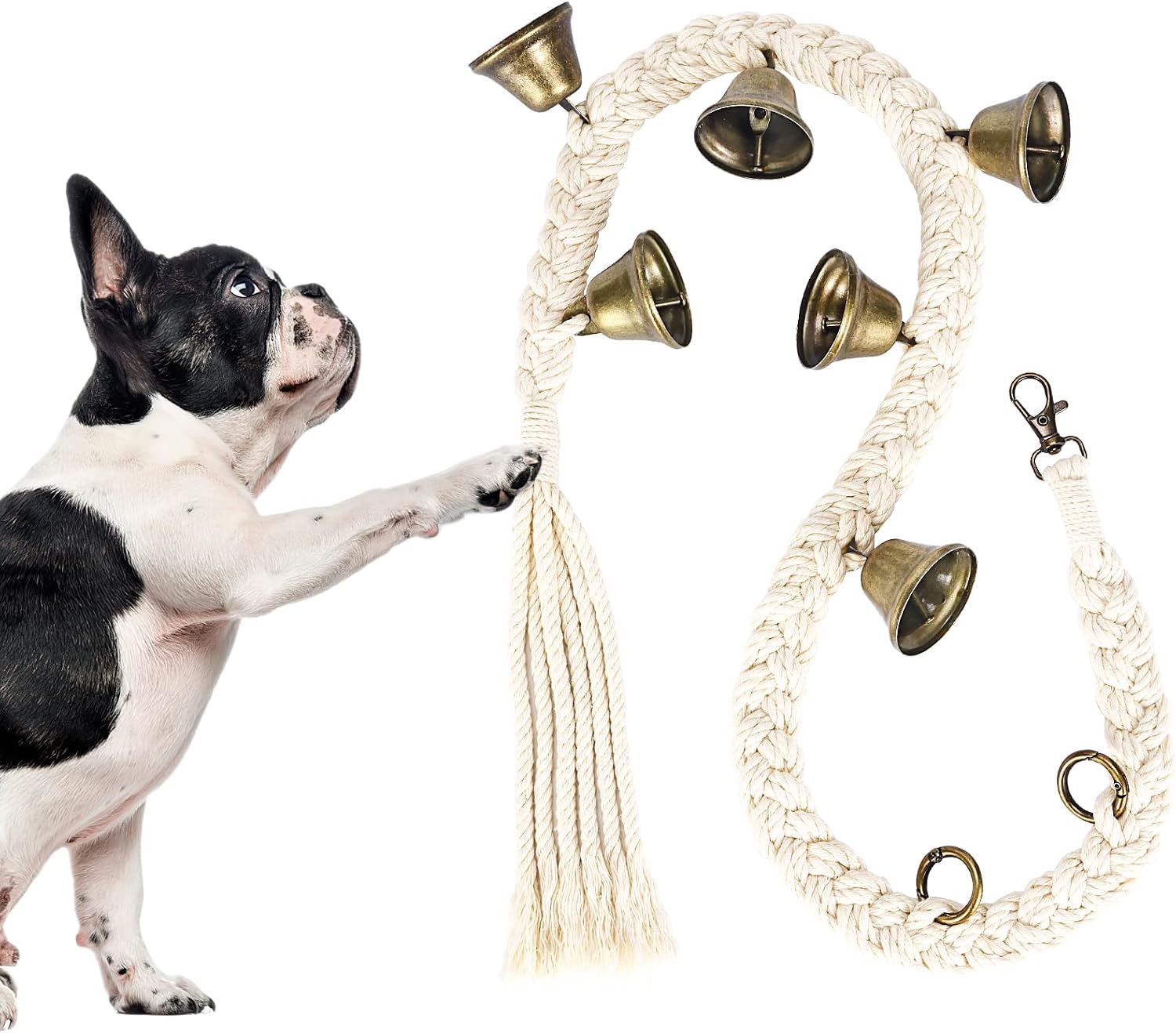
KLOGTSIND Dog Bells to Go Outside, Cotton Handwoven Potty Training Bell
A feeder sets the mealtime schedule. These bells set the other half of the routine. Hang them on the door handle at nose height, ring them yourself before every trip outside for a week, and most dogs take over the job from there. Check current Amazon price.
Why it belongs in a feeding article: a dog on a timed feeding schedule is a dog on a timed digestion schedule, and a dog who can ask to go out instead of pacing the hallway makes the whole system calmer. The cotton strap is soft enough not to mark a painted door, and the bells are loud enough to hear from the next room without being obnoxious about it.
Flaws but not dealbreakers: A clever dog learns to ring them for entertainment, not just for a walk. If that happens, hang them on the door only during the hours you can actually take the dog out, and take them down the rest of the time.
Anyone house-training a puppy alongside a new feeding schedule should hang a set on the door the same week.
The actual setup workflow
Now the part you came for. This sequence covers a basic timed feeder and an app-connected one, and it takes about half an hour. If you want the one-line answer for how to set up an automatic pet feeder, it is this: place it, power it, calibrate it, program it, then test it for a week.
Step one: Read the manual and lay out the parts. Find the portion settings, the reset button, the keypad lock, and the battery compartment before you fill anything. Note the portion table in the manual, because that table is the only reference you will have once the hopper is full and the feeder is on the floor.
Step two: Choose the location before you plug anything in. Level floor, against a wall, out of direct sun, and away from the water bowl, because a feeder that sits next to water invites a soggy mess. Put a boot tray or a wipeable desk mat underneath so stray kibble does not migrate under the fridge. If the feeder connects to Wi-Fi or to a hub, put it where your network actually reaches. A feeder in a back bedroom behind two walls is exactly where signal range stops being a theoretical concern.
Step three: Power it in the right order. Batteries first, then the adapter. Use fresh batteries of the same brand and never mix old and new, because a weak cell in a mixed set drains the strong ones. Watch battery life weekly for the first month so you learn what a normal drain looks like before you need to know.
Step four: Calibrate portion accuracy. Weigh the first three drops at each setting on a kitchen scale, and adjust the setting rather than the schedule if the amount is off. Do this with the food you actually feed, since kibble size changes the drop.
Step five: Program the meals. Two meals ten to twelve hours apart suits most adult cats, and three smaller meals suit kittens and small dogs. Keep the same times every day, weekends included, and lock the keypad if the model has a lock. Do not stack meals an hour apart just to make the bowl look busy.
Step six: Pair the app and check the extras. Pair before you fill the hopper, when you can still see the indicator lights. Then walk to the far room and confirm signal range for yourself. Read the feature list and find out whether anything you want sits behind a subscription, and run any firmware update while you are in there. If the feeder has a camera, check camera resolution before you count on it to tell you which pet is at the bowl.
Step seven: Register the pet on a microchip feeder. Do this with the pet present, then watch the first two meals from across the room. Confirm the lid closes behind them and opens for nobody else. If two cats are on different diets, one feeder per cat is the only setup that stays honest.
Step eight: Test for a week, then leave it alone. Run the feeder with the bowl where it will live and watch the first week of drops. Clean the bowl and the chute, and check how the bowl handles water, because that removable bowl is the part that meets a sink every day. Once the schedule holds for a week, stop fiddling with it. By the end of that week you will know whether you set up an automatic pet feeder correctly, and the evidence is usually sitting in the bowl.
The competition and why it lost
Several feeders people ask about did not make the cut here, and the reasons are worth knowing before you spend.
The PetSafe and PetLibro timed feeders are both solid machines, and either would work as a first feeder. They lose to the ANDOLL on price for the same basic job, and they lose to the SureFeed on the one job that matters in a multi-cat house, which is keeping the right pet in the right bowl.
The Cat Mate C500 and similar rotating-tray feeders handle wet food, which hopper models cannot, but they cap you at a fixed number of compartments and they do nothing about the pet-versus-pet problem. If you feed wet food, that is a different guide.
The Whisker and WOPET smart feeders bundle cameras and app control. The cameras are genuinely useful, but a camera is not the point of a feeding schedule, and the subscription question is one more thing to track in a house that already has enough to track.
Gravity feeders and the Arf Pets style dispensers are the simplest option of all, and they are fine for a single pet who self-regulates. In a house with a food-motivated dog, a gravity feeder is an all-day buffet with no bouncer on the door.
What this all costs
The cost of this project comes in three tiers, and only you know which tier your kitchen needs.
The entry tier is a timed hopper feeder plus a set of batteries. That covers one pet on a fixed schedule, and it is the cheapest version of the job that still works. Check current Amazon price before you assume the tier you need.
The middle tier adds a hub for app control, which is where a "smart" feeder quietly gets more expensive than the box suggests. Price the feeder and the hub separately before you decide the app is worth it.
The top tier is a microchip feeder plus its hub, and there you are paying for the lid and the reader. If you have a cat on a prescription diet and a second cat who eats everything in sight, that cost buys something a cheap feeder cannot: certainty about who ate what, and how much.
Then there are the running costs nobody puts on the box. Batteries, replaced on a schedule rather than when the feeder dies mid-meal. A mat under the bowl. A subscription, if the model you chose puts useful features behind one. Over the life of the feeder those add up to less than a bag of food, which is the honest way to think about them.
The bell is the cheapest item in this article and the one most likely to change your morning. A feeder that drops breakfast at 6 a.m. is only half a routine if the dog still has to wake you up to go outside.
Do the setup once, do it in order, and then stop thinking about it. That is the whole point of handing mealtime to a machine.